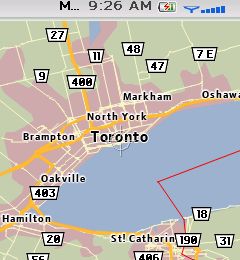
 BlackBerry Maps is a nice application for those of us, myself primarily, who get lost, I mean misguided, while on the road. The application does use data, so be sure you have a sufficient data plan before downloading it, and note a 1 MB or lower plan does not constitute sufficient.
Prior to BlackBerry Maps being released, Google had released Google Maps for the BlackBerry. One of the main differences I have found with BlackBerry Maps is that it is much zippier, at least on my Pearl, than Google Maps. Google Maps also seems to be more data intensive, meaning it uses more data than BlackBerry Maps, or so it seems. For those of us north of the border who do not have the luxury of an unlimited data plan, this may be a factor in which application you choose to use.
 One cool feature is the ability to Map From Address Book. If this option is selected, the address book is launched. You can then find an address book item, for which there is an address entered by the way, and then BlackBerry Maps will locate the address. This eliminates having to type the address in manually.
To download BlackBerry Maps on your BlackBerry, simply point your BlackBerry Internet Browser to http://www.blackberry.com/maps. Note, this application will download OTA, over the air, and must be done on the device.
 Tech Spinning